
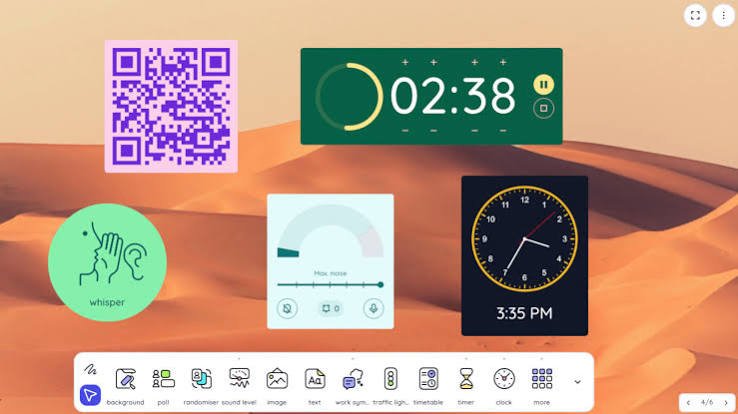
If a teacher asks you to visit JoinCRS.com, there is usually a simple reason.
The site connects students to interactive Classroomscreen activities using a shared session.
At a Glance
| Detail | Information |
|---|---|
| Website | JoinCRS.com |
| Connected Platform | Classroomscreen |
| Main Purpose | Joining classroom sessions |
| Primary Users | Students and teachers |
| Access Type | Web-based |
| Account Required | Not generally needed for joining |
| Parent Company | Classroomscreen B.V. |
| Primary Use | Interactive classroom participation |
| Privacy Policy | Published by Classroomscreen |
| Official Website | Classroomscreen.com |
This profile concerns a website, not a person. Personal fields such as birth date, marriage, or family do not apply.
What Is JoinCRS.com?
JoinCRS.com is connected to the Classroomscreen platform.
It provides a web entry point for classroom participation. Classroomscreen lists joincrs.com among its web applications.
This makes JoinCRS different from a typical learning platform.
It does not appear designed for storing student profiles. Instead, it supports access to classroom activities.
The distinction matters for first-time users.
Students may see the JoinCRS name without recognizing Classroomscreen immediately.
According to Classroomscreen’s official terms, the service is operated by Classroomscreen B.V. The company is registered under Dutch law.
How JoinCRS.com Connects Students
The basic idea is straightforward.
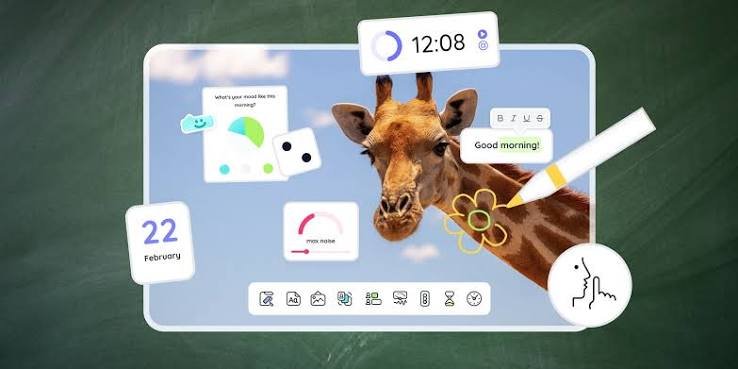
A teacher uses Classroomscreen to organize an interactive classroom activity. Students then use the joining interface to participate.
The process generally follows this pattern:
- The teacher prepares an activity.
- Classroomscreen creates the classroom experience.
- Students receive joining instructions.
- Students open the JoinCRS web address.
- They use the information supplied by their teacher.
- The connected activity then becomes available.
The important point is simple: the teacher controls the classroom activity.
JoinCRS functions as the student’s access point.
What Can Students Do Through Classroomscreen?
JoinCRS should not be viewed as the complete Classroomscreen product.
Its value comes from the wider classroom system behind it.
Classroomscreen provides tools for live teaching and student engagement.
Its official education pages list courses and interactive learning resources.
Depending on the teacher’s setup, students may encounter activities involving:
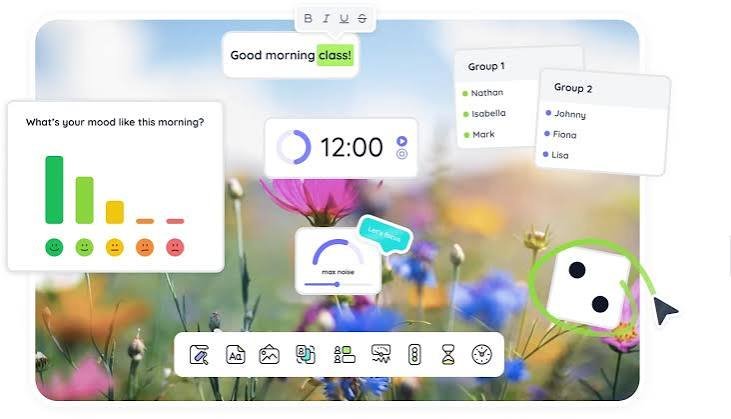
- Polls and classroom responses
- Interactive questions
- Shared classroom activities
- Live participation exercises
- Teacher-led digital interactions
The exact experience depends on the activity selected by the teacher.
JoinCRS itself is therefore best understood as an access layer.
Why Teachers Use a Separate Joining Address
A separate student address can reduce classroom confusion.
Teachers can display joining instructions while keeping their teaching dashboard separate.
This creates a simple division between teacher and student interfaces.
The teacher manages the activity from the main platform.
Students focus on joining and participating.
That separation can be especially useful in classrooms with many devices.
Students do not need to navigate complicated teacher controls.
JoinCRS.com and Privacy
Privacy is an important consideration for classroom technology.
Classroomscreen publishes a dedicated privacy policy covering joincrs.com.
The policy states that Classroomscreen does not sell personal information.
It also states that the company does not advertise on its websites or application.
Classroomscreen also says users own content they contribute.
The company describes transparency as an important part of its privacy approach.
Still, students should follow their school’s technology rules.
They should also avoid entering unnecessary personal information.
Is JoinCRS.com a Separate Learning Platform?
Not exactly.
The available official documentation connects JoinCRS directly with Classroomscreen.
Classroomscreen’s terms identify both domains as part of its web-based applications.
That means searching for JoinCRS as an independent education company can cause confusion.
A better way to understand it is:
Classroomscreen provides the classroom environment. JoinCRS provides access.
This distinction explains why the website may look simple.
It does not need to reproduce every Classroomscreen feature.
What If JoinCRS.com Does Not Work?
Connection problems can happen for several reasons.
The issue may not necessarily come from JoinCRS itself.
Try these basic checks:
- Confirm the web address.
- Check your internet connection.
- Re-enter the teacher’s joining information.
- Refresh the browser page.
- Try another supported browser.
- Ask the teacher to confirm the session is active.
- Check whether the classroom activity has ended.
If the problem continues, the teacher should verify the session settings.
Students generally cannot fix teacher-side configuration problems themselves.
JoinCRS.com for Schools and Educators
The larger Classroomscreen ecosystem focuses on classroom organization.
Its tools are intended to support teachers during live lessons.
The company also offers paid and free service structures.
Its terms distinguish between Basic and Pro subscriptions.
This is useful context for schools evaluating classroom technology.
JoinCRS should not automatically be treated as a standalone subscription.
Instead, it works within the broader Classroomscreen environment.
An Overlooked Detail About JoinCRS
One interesting detail is its role as a bridge.
Many educational websites try to put every feature into one interface.
JoinCRS takes a different approach by keeping student access focused.
That can make classroom participation easier.
Students need less exposure to complicated teacher-facing controls.
This design also explains why JoinCRS may appear extremely minimal.
Its simplicity is part of its function, rather than necessarily a missing feature.
Final Verdict: What Is JoinCRS.com?
JoinCRS.com is a Classroomscreen-connected student access website.
It helps students enter activities created through the wider platform.
It is not a biography subject or independent educational institution.
Therefore, personal information such as founders’ families or individual net worth should not be invented.
The strongest verified information comes from Classroomscreen’s own legal documentation.
That documentation confirms the connection between JoinCRS and Classroomscreen.
For students, the practical takeaway is simple.
Use JoinCRS when your teacher provides joining instructions for Classroomscreen.
Read more:Alyssa Cuban: The Athlete Beyond Mark Cuban’s Fame